Standard Business Card Size: 3.5 x 2 in, Bleed and Pixels
Tomas Amaya
September 15, 2026Updated September 18, 20269 min read
What Is the Standard Business Card Size?
The standard business card size in the United States is 3.5 x 2 inches, which is 89 x 51 mm or 1050 x 600 pixels at 300 dpi. Build the file at 3.75 x 2.25 inches so it carries a 0.125 inch bleed, and keep text inside a 3.25 x 1.75 inch safe zone.
It has been the North American convention long enough that every wallet, badge holder and card case is cut for it. Trim is the finished card. Bleed is the file you send. The safe zone is where your content is allowed to live.
Every card in our business cards lineup is cut to that same 3.5 x 2 in trim, paper and metal alike, so this one set of dimensions covers all of it. If your design software only lets you type in one canvas size, type in the bleed size and center everything on it.
| Measurement | Inches | Millimeters | Centimeters | Pixels at 300 dpi |
|---|---|---|---|---|
| Trim size (the finished card) | 3.5 x 2 | 89 x 51 | 8.9 x 5.1 | 1050 x 600 |
| Bleed size (the file you send) | 3.75 x 2.25 | 95 x 57 | 9.5 x 5.7 | 1125 x 675 |
| Safe zone (keep text inside) | 3.25 x 1.75 | 83 x 44 | 8.3 x 4.4 | 975 x 525 |
Square and Rounded Corner Business Card Sizes
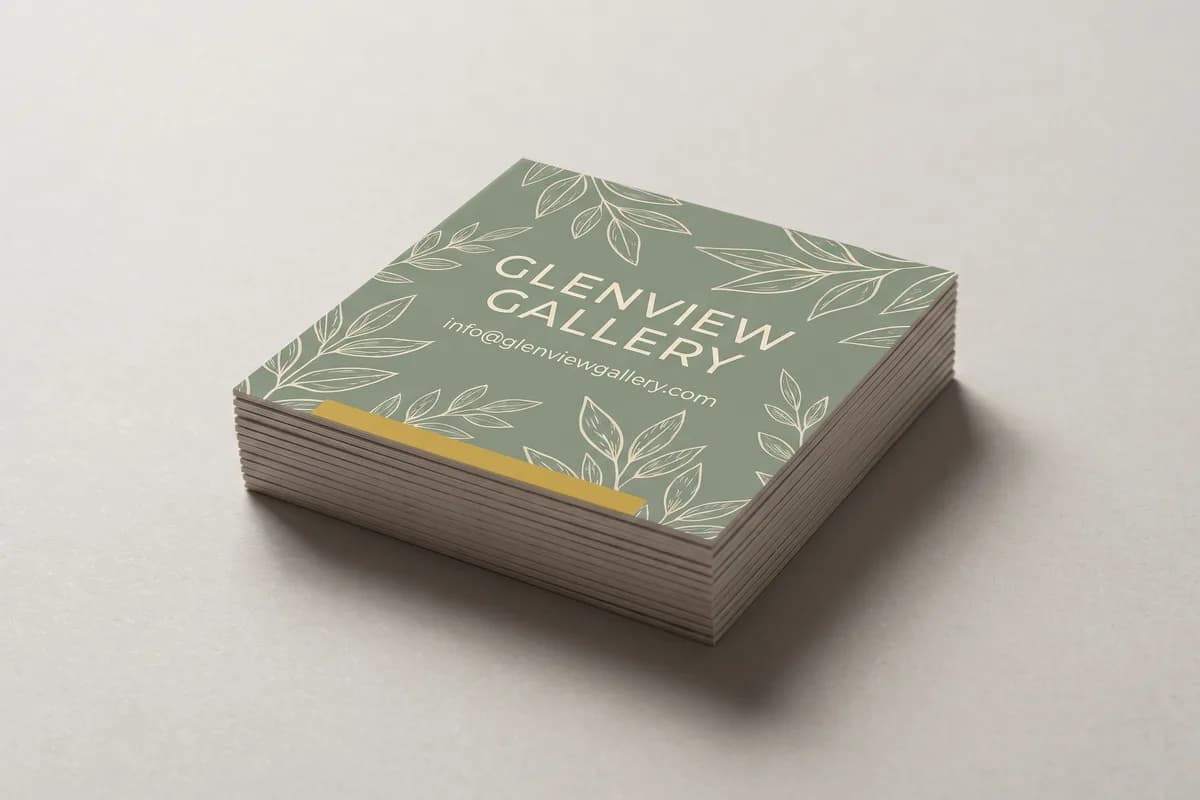
A square business card is 2.5 x 2.5 inches and a rounded corner card is a standard 3.5 x 2 inch card with a 0.25 inch radius cut into each corner. We print both, and neither one changes the bleed rule or the safe margin: 0.125 inch out, 0.125 inch in, same as every other card.
One extra rule for a rounded card: the corner is cut by a die, and a die has a little more play than a blade. Pull anything you care about a full 0.25 inch in from the corners rather than the usual eighth, and never run a thin frame around a rounded card. Square and rounded corner cards are not on our online order form yet, so they are quoted by hand. Tell us the quantity and the stock at our contact page or call (210) 293-5651 and we will price it and send the artwork specs back with the quote.
Design Guidelines for Business Card Artwork
You can upload your own artwork or we can build it for you. Either way the file has to respect three lines, and this is what each one is for.
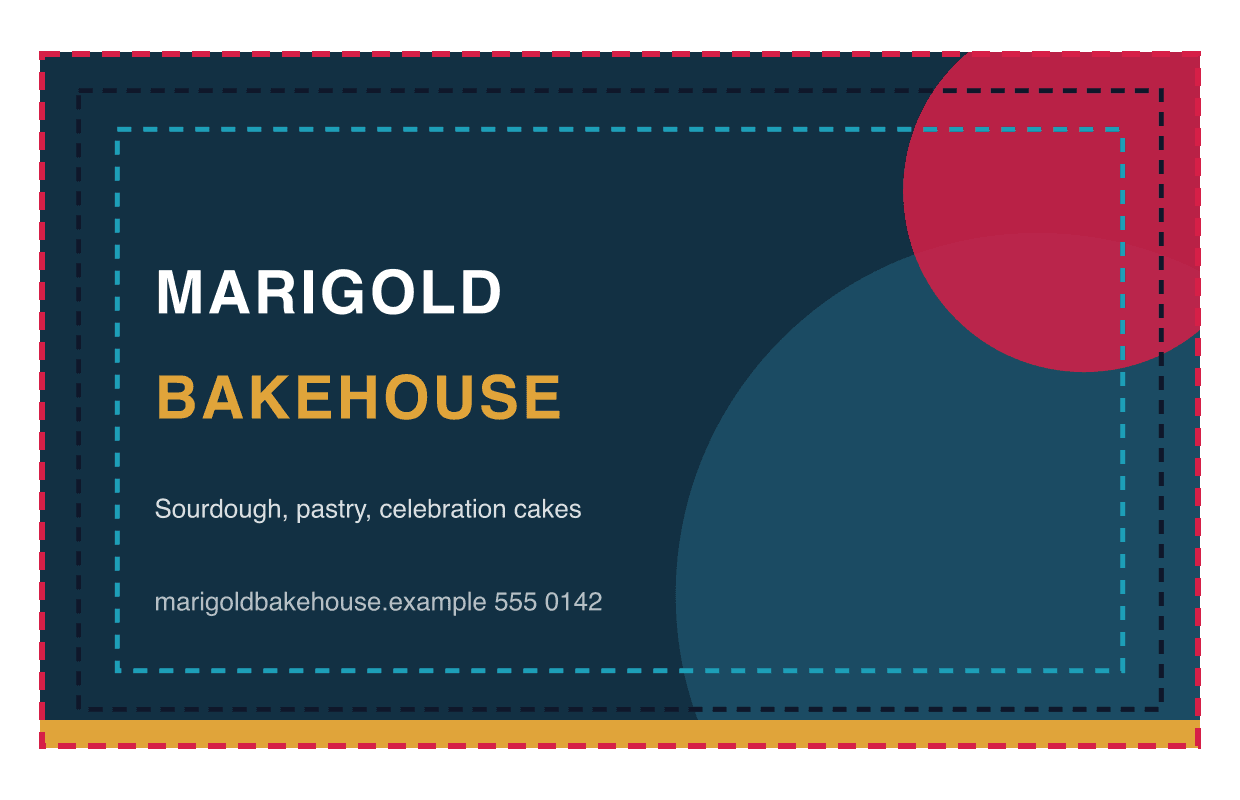
- Bleed area
- 3.75 x 2.25 in
- Trim line (actual size)
- 3.5 x 2 in
- Safe printing area
- 3.25 x 1.75 in
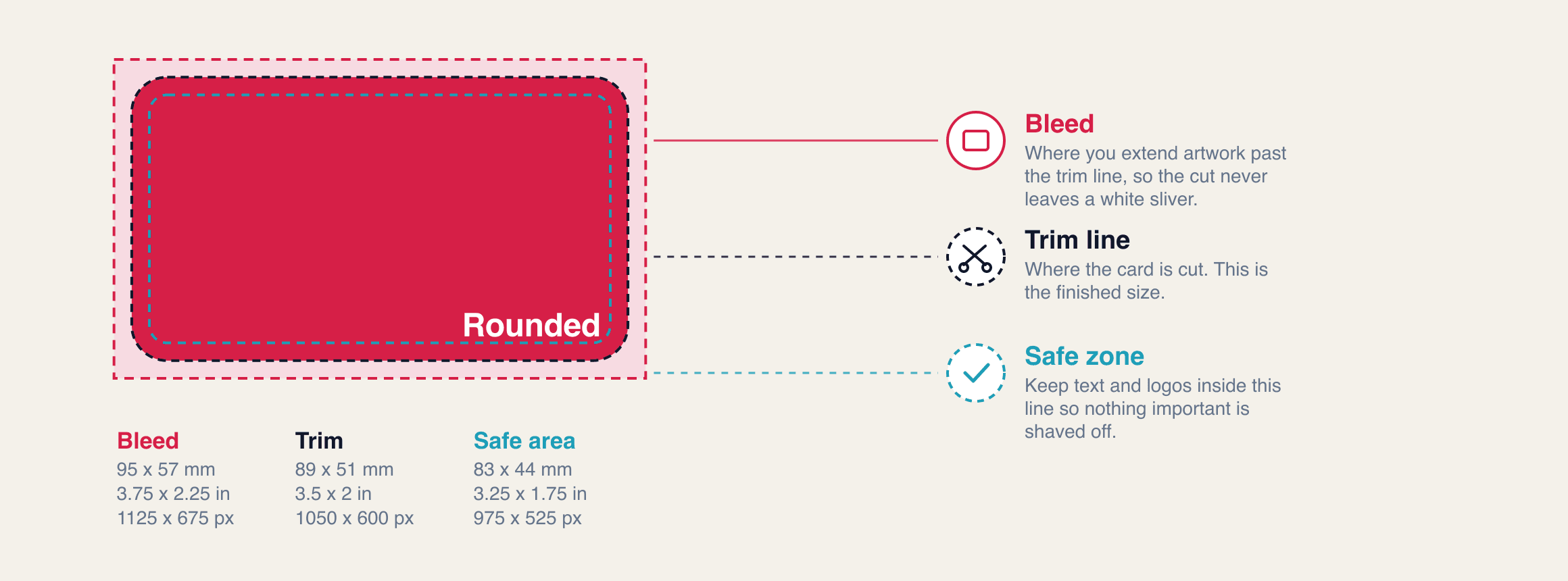
Bleed area: 3.75 x 2.25 in If your card has a background color, a photo or a bar of brand color along an edge, it has to extend past the trim on all four sides. That extra 0.125 inch is what gets cut away, and it is the only reason your card comes back without a white sliver on one edge.
Actual size: 3.5 x 2 in This is where the blade lands and what you hold at the end. It is the number every wallet, badge holder and card case in the United States is built around, and it is the one figure on this page that never changes.
Safe printing area: 3.25 x 1.75 in Everything that has to survive the cut lives inside this box: your name, your phone number, your logo, your QR code. It is not much smaller than the card, and holding to it costs you nothing.
Business card size in pixels: 1050 x 600 pixels If you or your designer work in pixels, that is the trim at 300 dpi. The full bleed file is 1125 x 675 pixels and the safe area is 975 x 525 pixels. These numbers are the industry standard 0.125 inch bleed, so a file built to them prints correctly at any printer, not just at ours.
What Is Bleed on a Business Card?
Bleed is the 0.125 inch band of artwork that runs past the trim line and gets cut away, which is 3 mm on all four sides. It exists because paper and blades move, by very little, but never by nothing.
Picture a card with a navy background. If the file stops at 3.5 x 2 and the cut lands a hundredth of an inch inside the line, you get a thin white edge on a card that was supposed to be navy to the corner. Extend the navy out to 3.75 x 2.25 and that same shift cuts navy instead of paper, and nobody can tell the blade moved at all.
So bleed is not a design decision, it is insurance. Missing bleed is the most common problem we catch on a proof, and it is one of the questions worth asking before you buy cards.
What Is the Safe Zone on a Business Card?
The safe zone is the 3.25 x 1.75 inch area in the middle of the card where your content is guaranteed to survive the cut. Cards are not trimmed one at a time. They print many-up on a large sheet, the sheets are stacked, and the stack is cut. That is why the cut is accurate rather than perfect.
Hold your text, your logo, your phone number and your QR code 0.125 inch in from the trim on every side. Anything inside that box looks centered on every card in the run, not just on the ones near the top of the stack.
Business Card Size in Pixels
A business card is 1050 x 600 pixels at 300 dpi. Pixels only mean something once you attach a resolution, and print resolution is 300 dpi. At 300 dpi the trim is 1050 x 600 px, the bleed file is 1125 x 675 px, and the safe area is 975 x 525 px. Those are the numbers to enter in Photoshop, Canva, or anything else that thinks in pixels.
Here is the trap. A card that looks fine on screen at 72 dpi is only 252 x 144 px, roughly a quarter of the detail a press needs in each direction. Printed at card size it goes soft, and small type goes fuzzy first. Vector art, an AI or EPS or layered PDF, has no resolution to run out of and is always the better send.
What Size Is a Vertical Business Card?
A vertical card is not a different size. It trims at 2 x 3.5 in, the file is 2.25 x 3.75 in with bleed, and the safe area is 1.75 x 3.25 in. Same card, turned ninety degrees, same wallet and same card case.
Vertical layouts read well for a single strong logo, a headshot, or a short title block, and they stand out in a stack of horizontal cards. The back prints at the same price as the front on our 16pt stock, so a vertical front costs you nothing on the second side.
Business Card Sizes Outside the United States
The 3.5 x 2 in card is a North American convention, not a world standard. The three sizes you are most likely to run into:
- United States and Canada: 3.5 x 2 in, or 89 x 51 mm.
- Europe and the United Kingdom: 85 x 55 mm, narrower and taller than a US card.
- Japan: 91 x 55 mm, the largest of the three.
Those gaps are small in millimeters and obvious in a wallet. US card slots, badge holders and card cases are all cut for 3.5 x 2, so a European card sits loose in the slot and a Japanese card will not seat at all. If your cards are going to US customers, stay at 3.5 x 2. If you truly need an international size, call (210) 293-5651 and we will talk it through.
Mistakes We Catch on Proofs
Four things account for nearly every business card file we send back, and all four are size problems wearing a different hat.
A thin border sitting an eighth of an inch off the edge. A hairline frame looks even on some cards in the run and visibly uneven on others, because the frame is what makes a small cut shift measurable to the eye. If you want a framed look, make the frame thick enough that a shift does not register, or let the color bleed off the edge and skip the outline entirely.
Text sitting on the trim line. A phone number or a website that ends 0.05 inch from the edge reads fine on screen and gets shaved on a real stack. This is the single most common reason we hold a proof.
An RGB file, or a 72 dpi one. RGB has colors a press cannot mix, so bright screen blues and greens come back duller than the artist expected. A 72 dpi file has about a quarter of the detail in each direction that the press needs, so the type softens. Convert to CMYK at 300 dpi before you export, and you will see on screen roughly what you get on paper.
A file built at 3.5 x 2 with no bleed at all. We can usually extend a flat background color out for you, but we cannot invent the missing edge of a photo. Build at 3.75 x 2.25 from the start and this never comes up.
What to Send Us
A print-ready PDF at 3.75 x 2.25 inches, CMYK, 300 dpi, fonts outlined or embedded, all text inside the safe zone, and both sides as separate pages. That file goes straight to press.
There is no setup fee. Upload any image or file and we make it print ready: size, bleed, resolution and color. If you have no design at all, Design it for me is +$30 and a designer builds the card from scratch with two revisions included. Either way you see a free digital proof before anything prints, production is 48 hours once you approve it, and cards are printed in the USA and shipped anywhere in the country for a flat $10 ground shipping per order. If budget is the real question, we ran every pack price and the per-card math in how much business cards cost.
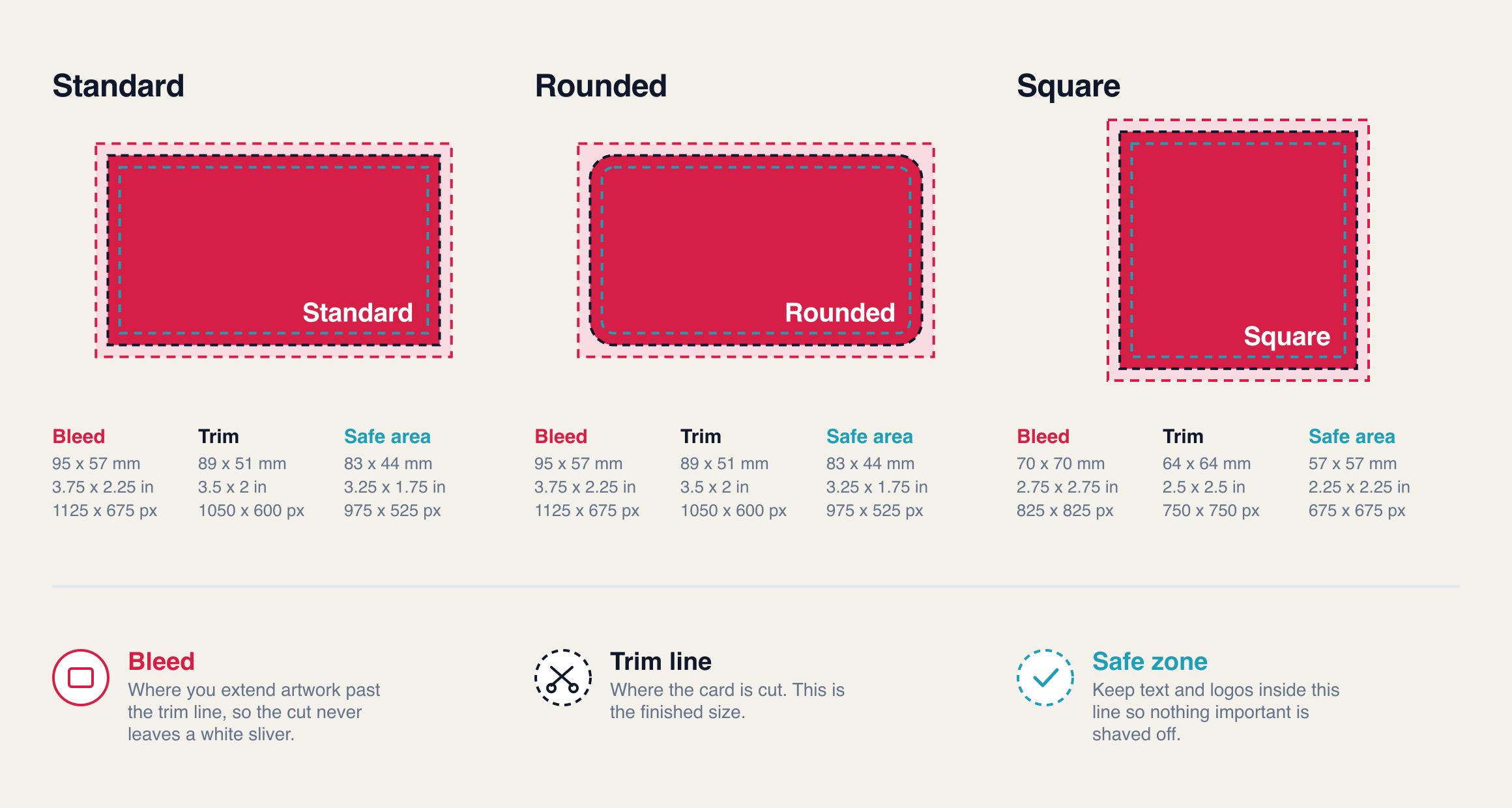
Our Business Card Dimensions Visual Guide
Three cards, the same three lines on each, with every number in millimeters, inches and pixels at 300 dpi. Swipe through them and build to the one you need.
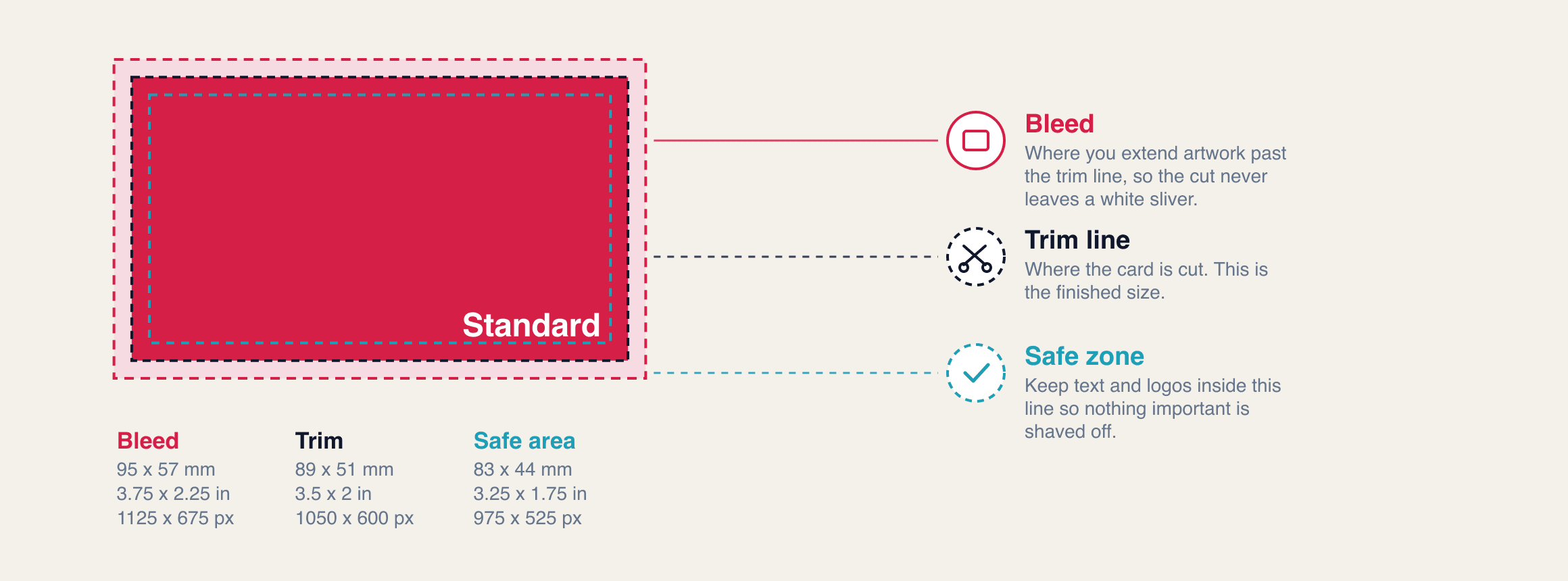
Standard
- Bleed
- 95 x 57 mm
- 3.75 x 2.25 in
- 1125 x 675 px
- Trim
- 89 x 51 mm
- 3.5 x 2 in
- 1050 x 600 px
- Safe area
- 83 x 44 mm
- 3.25 x 1.75 in
- 975 x 525 px
Rounded corner
- Bleed
- 95 x 57 mm
- 3.75 x 2.25 in
- 1125 x 675 px
- Trim
- 89 x 51 mm
- 3.5 x 2 in
- 1050 x 600 px
- Safe area
- 83 x 44 mm
- 3.25 x 1.75 in
- 975 x 525 px
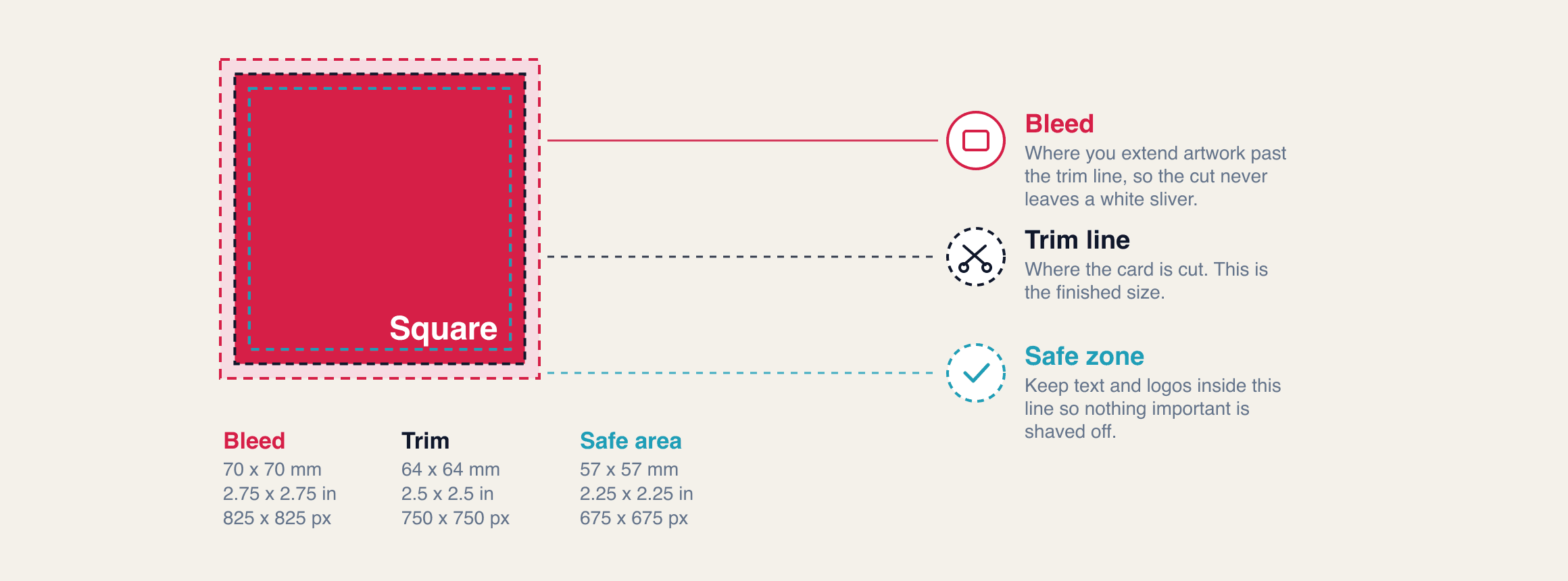
Square
- Bleed
- 70 x 70 mm
- 2.75 x 2.75 in
- 825 x 825 px
- Trim
- 64 x 64 mm
- 2.5 x 2.5 in
- 750 x 750 px
- Safe area
- 57 x 57 mm
- 2.25 x 2.25 in
- 675 x 675 px
Card 1 / 3
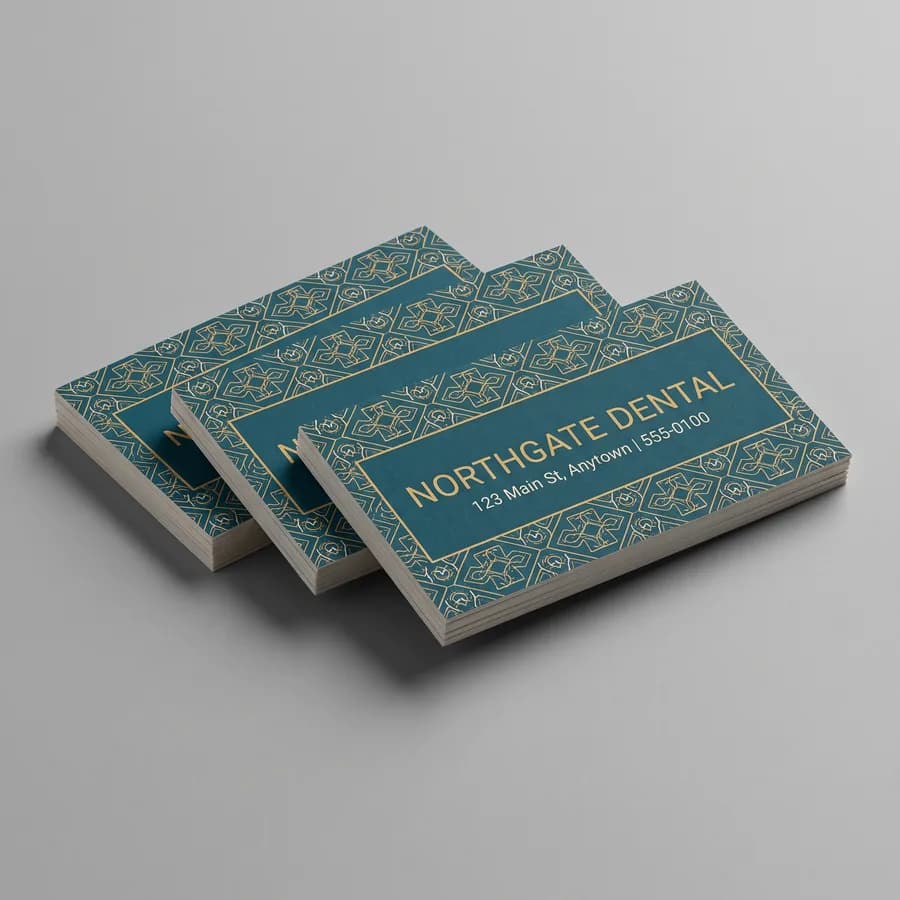
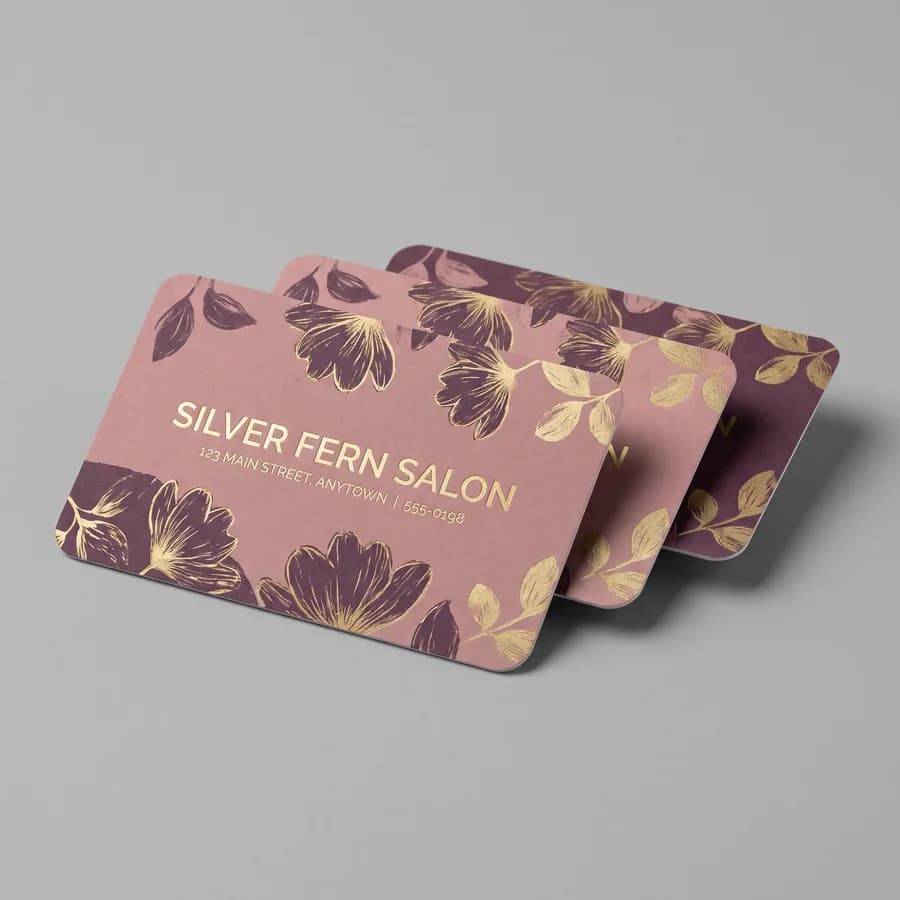
Found an option you like? Get started now.
Frequently Asked Questions
A business card is 1050 x 600 pixels at 300 dpi, which is the trim size. The file you send should be 1125 x 675 pixels so it carries bleed, and every piece of text belongs inside the 975 x 525 pixel safe area. Pixels mean nothing without a resolution attached.
A standard business card is 8.9 x 5.1 cm, which is 89 x 51 mm. With bleed the file is 9.5 x 5.7 cm, or 95 x 57 mm, and the safe zone is 8.3 x 4.4 cm, or 83 x 44 mm. European cards are a different size at 85 x 55 mm.
A business card needs 0.125 inches of bleed on all four sides, which is 3 mm. That turns a 3.5 x 2 inch card into a 3.75 x 2.25 inch file. Any background color or photo has to run all the way to the outer edge of that larger file, not stop at the card.
A vertical business card is 2 x 3.5 inches, the same card turned ninety degrees. The file with bleed is 2.25 x 3.75 inches and the safe zone is 1.75 x 3.25 inches. It costs the same, fits the same wallet slot, and stands out in a stack of horizontal cards.
Enter 3.75 x 2.25 inches in Canva, not 3.5 x 2. That builds the canvas at the bleed size so your background runs past the cut line. Turn on rulers and guides, pull guides 0.25 inches in from every edge, and keep all text inside them. Export as a PDF for print.
A rounded corner card is the same 3.5 x 2 inches as a square cornered one, with a 0.25 inch corner radius cut into it. A square card is genuinely different at 2.5 x 2.5 inches. Both use the same 0.125 inch bleed and the same 0.125 inch safe margin.
Related Articles
Business Card Thickness: 14pt vs 16pt in Inches and mm
A 14pt business card is 0.014 in thick and a 16pt card is 0.016 in, or 0.36 mm and 0.41 mm. [...]
Read More: Business Card Thickness: 14pt vs 16pt in Inches and mm
How Much Do Business Cards Cost? Pack and Per-Card Prices
Business cards cost $49.99 for 50, $89.99 for 500 and $109.99 for 1,000 in full color on both [...]
Read More: How Much Do Business Cards Cost? Pack and Per-Card Prices
Matte vs Glossy Business Cards: How to Pick a Finish
Gloss business cards keep color saturated and resist a pen, matte reads softer and writes [...]
Read More: Matte vs Glossy Business Cards: How to Pick a Finish
Metal Business Cards vs Paper: Cost Per Card and Feel
Metal business cards run about $2.30 each at 100 against about $0.60 for 16pt paper. Compare [...]
Read More: Metal Business Cards vs Paper: Cost Per Card and Feel