QR Code on a Flyer: Placement, Size, and the Test Print
 Jean
July 22, 2026Updated October 19, 202611 min read
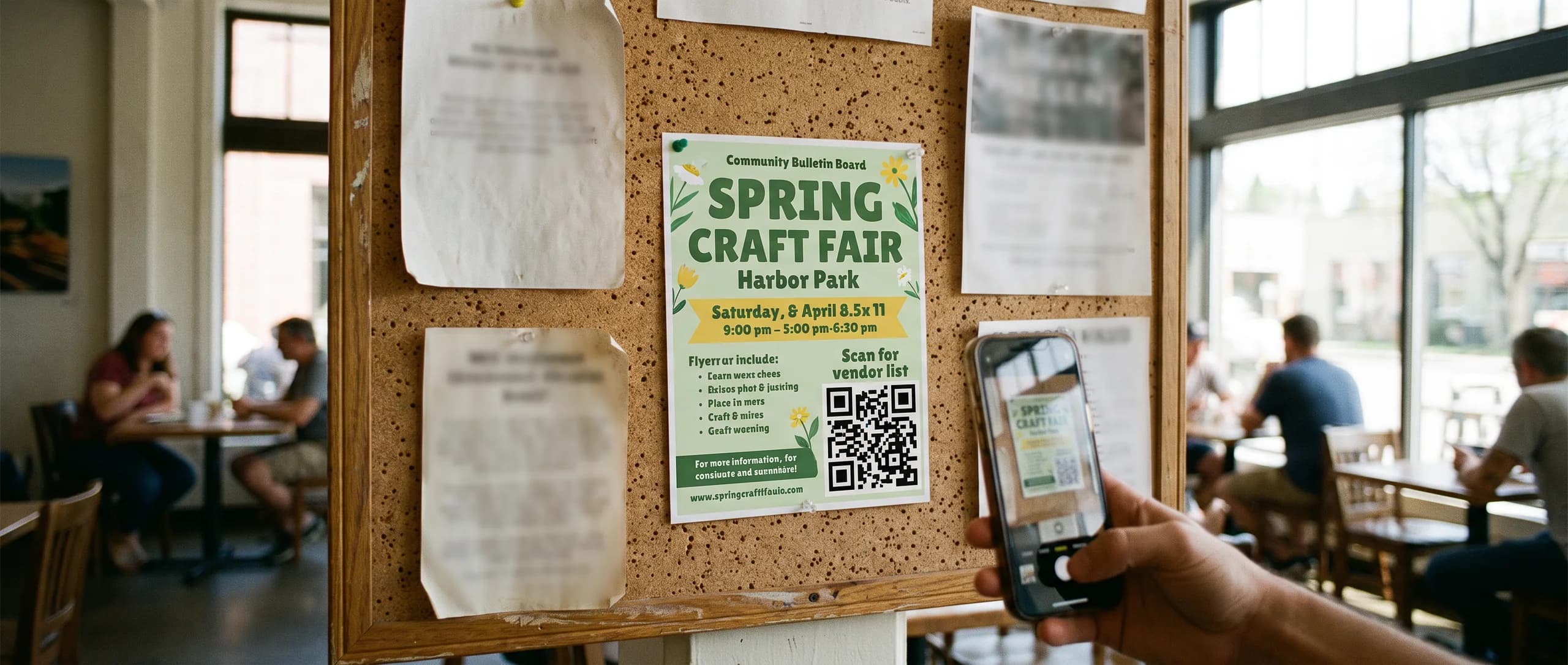
Where should a QR code sit on the flyer?
Put a QR code on a flyer inside the 0.125 in safe area, with a four-module quiet zone and a short line beside it. Inline Graphics prints 100 full-color 4 x 6 in Standard 16pt Gloss flyers for $74.89. Production is about 48 hours after proof approval, with flat $10 shipping to any US address.
Decide first whether the code belongs on the front or the back: the front when scanning is the main action, the back when the front has to sell the event alone. Bleed extends 0.125 in beyond the trim; keep the code and its whole quiet zone at least 0.125 in inside the trim, because a code near the cut can lose a module when the stack is trimmed.
The front is the right face when the scan is the action you want. The back is the right face when the front is a photograph that would crowd the code. Every flyer stock prints double sided at the price shown, so the second side is not an extra charge. Use one side for the offer and the other for the code and the detail, if the front cannot hold both without shrinking the symbol.
One code. A second and third code on the same sheet split the action and shrink each symbol. If you also hand out a card with a code, the digital and physical card guide covers that smaller surface. The flyer can carry a larger symbol than a 3.5 x 2 in card, which is the reason to give it real space here.
How large should the code print, and what is the quiet zone?
DENSO WAVE, the company that created the QR Code, requires a quiet zone: a clear margin four modules wide on all four sides, with nothing printed in it. A module is one of the small squares that make up the symbol. Their note on the code area is here: securing the margin.
The same company recommends printing the symbol as large as the available area allows, because a larger module scans more reliably. That guidance is in their module size notes. They also publish a worked example of the math for one module size. A version 2 symbol at 0.5 mm per module is 12.5 mm square, and it still needs four modules of clear space around it before you put it to use. That example is in their printing FAQ. Four modules at 0.5 mm is 2 mm of empty margin on each side, so the clear margin is part of the space you reserve, on top of the 12.5 mm symbol.
Their FAQ also describes the small end of what a common laser printer can produce: about 0.17 mm per module, which is about 3.57 mm for the smallest version (21 modules on a side). Treat that as a printer limit. It is a poor target for a flyer someone will scan with a phone at arm's length.
For a handout, follow the "as large as the space allows" guidance, keep the four-module quiet zone empty, and use dark modules on a light field. A code that is warped, stretched, or decorated may not read. DENSO WAVE says a symbol that follows the standard and is printed clearly is the one that scans, and that a distorted or decorated code may fail. That caution is in their generation notes. Leave the finder squares, the quiet zone, and the proportions alone.
Our own file rule sits under that guidance. Keep the whole symbol, quiet zone included, at least 0.125 in inside the trim of the flyer. A quiet zone that runs into the bleed is no longer quiet after the cut.
What words should sit beside the code?
Use a short call to action that names the result: "Scan to book," "Scan for the menu," or "Scan for hours." The line can be smaller than the headline and still larger than a footnote. It sits next to the code, inside the safe area, and it does not enter the four-module quiet zone.
We print the symbol. We do not build the page it opens, and we do not host a scan report. Point the code at a page you control and that loads without an account. A code that asks someone to install an app, or that opens a removed page, wastes the square you gave it. If the offer has a date, the page and the flyer should show the same date.
Match the contrast of the line to the code. Dark type on the same light field as the quiet zone is the simple version. A line reversed out of a photo, beside a code that is also on that photo, asks the phone and the reader to work harder than they will.
How do you track flyer scans with the link itself?
Add UTM tags to the address before you generate the code. That is general practice in the link you encode. We print the symbol and do not host the analytics. A typical pattern adds three tags to the page address: utm_source for the piece (flyer), utm_medium for print, and utm_campaign for the offer name. Your own analytics can then separate those visits from email or from a card.
Generate the code only after the tagged address is final. If you change the tags later, the printed symbol still points at the old address until you reprint. Keep the tagged address short enough that the symbol does not have to jump to a dense version. A shorter address makes a simpler pattern, which is easier to scan at a modest size. DENSO WAVE's area example above is one reason: more data can force a higher version, and a higher version needs more modules in the same square, so each module gets smaller.
Test the tagged address in a browser before you place the image. Confirm the page, the offer, and that the tags are the ones you meant to measure.
How do you test an actual-size printout before you approve the proof?
A code that scans on a monitor can still be too small, too crowded, or too low contrast on the sheet. Test paper, at the real trim, before you approve.
- Generate the code from the final address, including any UTM tags.
- Place it inside the 0.125 in safe area, with the four-module quiet zone empty.
- Set a short call to action beside it, outside that quiet zone.
- Export a PDF at the flyer size you are ordering.
- Print that PDF at 100 percent scale, with fit-to-page turned off.
- Measure the sheet, then scan the code with the phone you expect people to use.
- Open the page and check the offer, the date, and that it loads without an account.
The free digital proof is sent after the order, before anything prints. It is a screen proof, not a mailed sample. Approve it only after your own actual-size printout has scanned. Standard 16pt Gloss flyers are produced in about 48 hours after proof approval; Premium 100# Gloss and 70# Uncoated take a few business days depending on quantity. Transit is not included. Orders are printed in the USA and ship for a flat $10 to any US address.
Which flyer has room for the code, and what does it cost?
100 full-color 4 x 6 in Standard 16pt Gloss flyers are $74.89, about $0.75 a flyer. That stock is 16pt cardstock with a gloss finish, and it is the fast small-quantity option. Double sided is the same price. The 4 x 6 in sheet is enough for a headline, one code, and a short line, if the code is given a real share of the safe area. A letter sheet has more room when the code has to live beside a list.
| Flyer | Price |
|---|---|
| 25 of 4 x 6 in, Standard 16pt Gloss, full color, double sided | $53.49 |
| 100 of 4 x 6 in, Standard 16pt Gloss, full color, double sided | $74.89 |
| 250 of 4 x 6 in, Standard 16pt Gloss, full color, double sided | $106.99 |
| 500 of 4 x 6 in, Standard 16pt Gloss, full color, double sided | $149.79 |
| 100 of 8.5 x 11 in, Standard 16pt Gloss, full color, double sided | $128.39 |
On the same 16pt gloss stock, 100 flyers are $85.59 at 5 x 7 in and $106.99 at 6 x 9 in. 250 of the 8.5 x 11 in are $246.09. The 16pt sizes are 4 x 6, 5 x 7, 6 x 9, and 8.5 x 11 in. A 5.5 x 8.5 in flyer is not sold on 16pt.
Two other stocks exist, and their sizes and starting quantities differ. Premium 100# Gloss is a heavier gloss cover for longer runs, in 4 x 6, 5 x 7, and 5.5 x 8.5 in. It starts at 750 for a 4 x 6 ($181.89), at 500 for a 5 x 7 ($171.19), and at 250 for a 5.5 x 8.5 ($189.00). Standard 70# Uncoated is matte text stock you can write on, sold at 8.5 x 11 in only, starting at 500 for $256.79. Anything outside those size and stock pairs is a quote.
The flyer sizes guide is the full cut list. The custom flyers cost guide stays on the 4 x 6 in 16pt ladder. Do not reuse a 4 x 6 price for a letter flyer.
Every flyer total quoted in this article is under $499. Design it for me is $29.99 on those lines. It is free only when the item itself is $499 or more.
Order the size and stock together on the custom flyers page. Other print pieces are in the print marketing collection.
How do you order the flyer once the code scans on paper?
There is no production setup fee. A file or image you already have, including a layout with the code in place, is prepared through AI image to print for $14.99 per item. That charge is once per cart line item, not once per side. We do not offer a downloadable template, and a file is not a free upload. After you order, the file is made print ready for size, bleed, resolution, and color, and the free proof is sent before printing.
Design it for me is $29.99 and includes two revisions. On the flyer prices quoted here, the item is under $499, so that fee stays $29.99.
- Choose the stock and the size on the product page before you finish the layout.
- Place one code inside the safe area, with the quiet zone empty and a short line beside it.
- Print at actual size and scan it.
- Place the order.
- Check the code's destination on the free proof, then approve it.
Production starts at approval. Standard 16pt Gloss flyers are produced in about 48 hours after proof approval; Premium 100# Gloss and 70# Uncoated take a few business days depending on quantity. Then flat $10 ground shipping; plan transit on top.
Need flyers or other custom printing? Inline Graphics helps businesses, churches, schools, and event organizers across the country design and print cards, banners, signs, decals, displays, and marketing materials that get noticed. Contact us today for a quote.
Frequently Asked Questions
Inside the 0.125 in safe area, on a solid light field, with a short call to action beside it. One code is enough. The back is available at the same price on every flyer stock.
DENSO WAVE, the company that created the QR Code, requires a clear margin four modules wide on every side. Their guidance is to print the symbol as large as the space allows. Practical advice from this guide: scan an actual-size printout with a phone before you approve.
100 full-color Standard 16pt Gloss flyers are $74.89 at 4 x 6 in, $85.59 at 5 x 7 in, $106.99 at 6 x 9 in, and $128.39 at 8.5 x 11 in. Each price is for that size only. Double sided is the same price.
No. We print the code. Add UTM tags to your own link before you generate the code if you want your analytics to see flyer scans. We do not host the page or the report.
Print the flyer at 100 percent scale and scan it with a phone before you approve. The free digital proof arrives after the order. Standard 16pt Gloss flyers are produced in about 48 hours after proof approval; Premium 100# Gloss and 70# Uncoated take a few business days depending on quantity. Transit is extra.
There is no production setup fee. A file or image, including one with a code already placed, is prepared through AI image to print for $14.99 per item, once per cart line item. Design it for me is $29.99, free when the item is $499 or more.
Standard 16pt Gloss is cardstock in 4 x 6, 5 x 7, 6 x 9, and 8.5 x 11 in. Premium 100# Gloss is a heavier cover stock. Standard 70# Uncoated is matte and writable, and it is 8.5 x 11 in only.
Related Articles
Digital vs Physical Business Cards: Prices and Uses
250 double-sided 16pt paper business cards cost $74.89. Inline Graphics prints paper and [...]
Read More: Digital vs Physical Business Cards: Prices and Uses
Flyer Sizes: Five Cuts, Three Stocks, and Their Prices
Flyers come in 4 x 6, 5 x 7, 6 x 9 and 8.5 x 11 in on 16pt gloss, plus 5.5 x 8.5 in on 100# [...]
Read More: Flyer Sizes: Five Cuts, Three Stocks, and Their Prices
Custom Flyers Cost: Prices for 100, 250 and 500 Flyers
Custom flyers come in 100, 250, and 500 piece packs on 4 x 6 in stock. Compare every quantity, [...]
Read More: Custom Flyers Cost: Prices for 100, 250 and 500 Flyers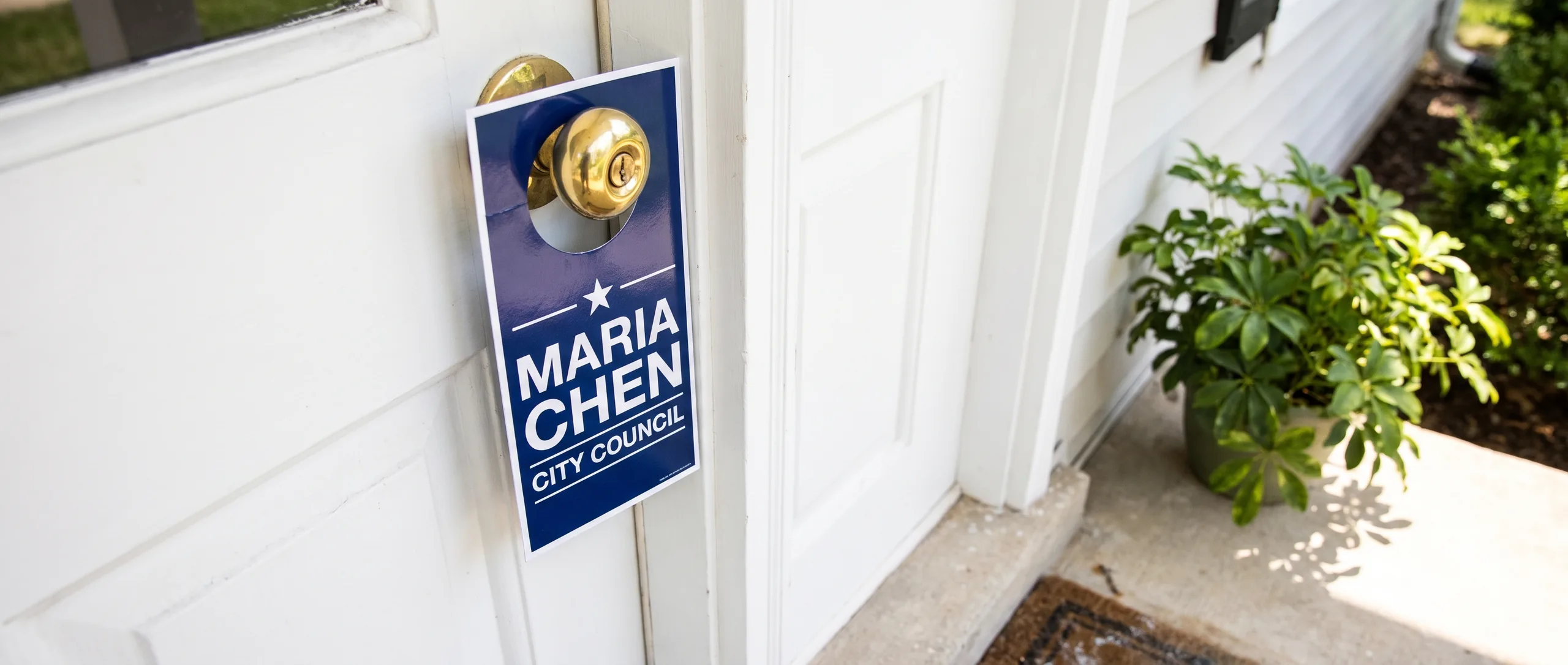
Campaign Door Hangers and Push Cards That Voters Keep
Campaign door hangers start at $246.09 for 250 at 3.5 x 8.5 in, double sided with a UV gloss [...]
Read More: Campaign Door Hangers and Push Cards That Voters Keep