Business Card Font Size: What Stays Readable at 3.5 x 2
 Tomas Amaya
March 24, 2026Updated October 19, 202610 min read
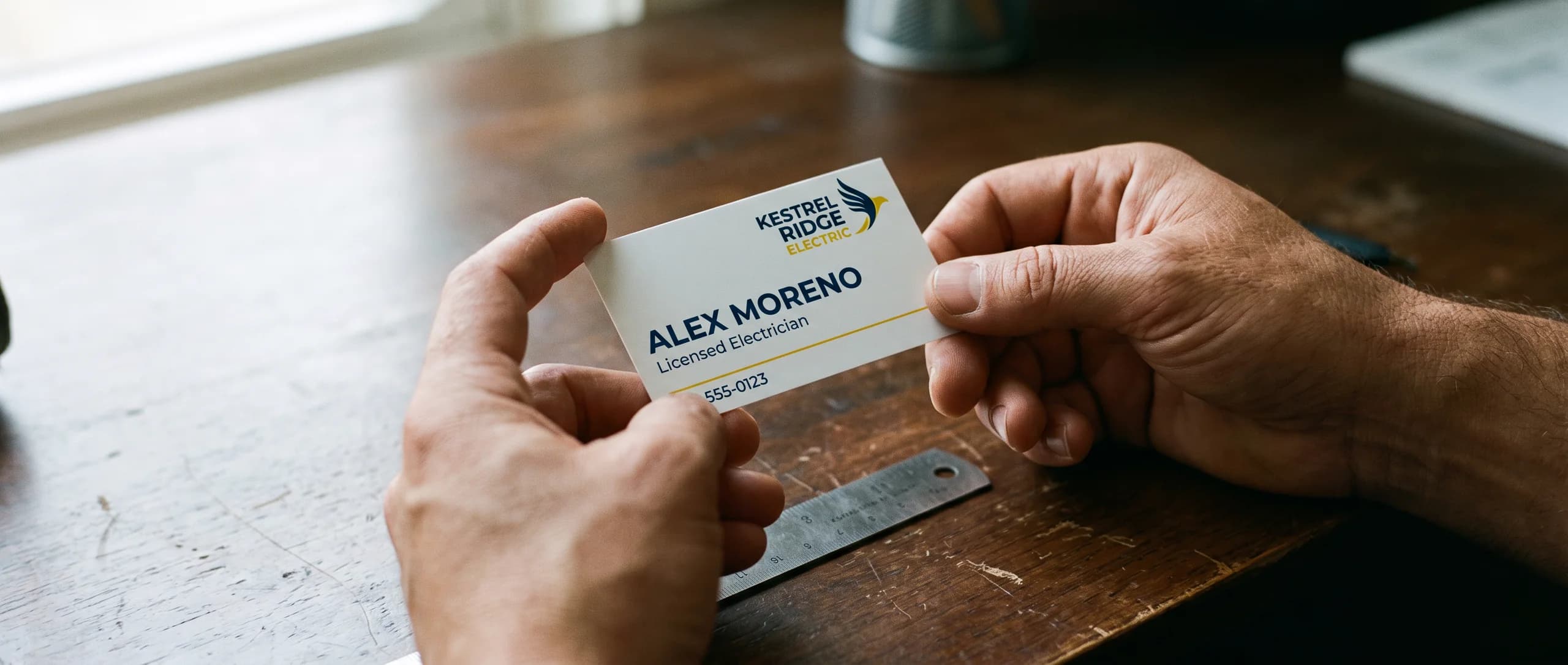
How should you set the name, the title, and the contact lines?
On a 3.5 x 2 in card, general practice is a name at 10 to 12 pt and contact lines at 7 to 8 pt, kept 0.125 in inside the trim. Inline Graphics prints 250 double-sided 16pt gloss cards for $74.89. Production is 48 hours after proof approval, with flat $10 shipping to any US address.
Set the job title and the company name at 8 to 10 pt, one step under the name and one step over the phone. Put a semibold or bold weight on the name. Set the contact lines in a regular weight. A light or hairline weight looks sharp on a monitor and then breaks up on gloss cardstock.
A license number or other legal line can drop to 6 pt, but only when nobody has to read it in a hurry.
Six point is the smallest size worth using. Below that, thin strokes fill in. The email is usually the first line to fail, because it is the longest run of small characters on the card. If a person must read a line in ordinary room light, keep it at 7 pt or larger.
Which facts belong on the card is a separate decision. The business card information guide covers the name, title, company, phone, email, and website, and what can move to the back. This page is about how large to set the type once that list is chosen.
Why do weight and contrast change a size that looked fine on screen?
A 9 pt line in a regular weight is easier to read than a 12 pt line drawn with a hairline stroke. Weight is the thickness of the stroke. On a coated gloss card, a very thin stroke can look broken. Light letters on a dark field can close up, because the ink spreads into the counters of letters that were already thin.
Keep the contrast plain. Dark type on a light field, or light type on a solid dark field. Set small type on a solid area of color. A photograph, a gradient, or a fine pattern behind 8 pt type makes the letters compete with the picture. Gray type that looks soft on a screen often prints as a faint line.
A script or handwriting face needs to be larger than a plain sans or serif, or it should not carry the phone number. The name can use the decorative face. The contact lines should be a plain face, so a reader does not have to guess a character.
One card needs one or two typefaces. A third face rarely helps at this size. If the brand face is very wide, the email may need a second, narrower face at the same point size. Match the weight. Do not mix a hairline with a black weight on the same card.
Where does the 0.125 in safe area leave room for the type?
Keep every word and the logo 0.125 in inside the trim. On a 3.5 x 2 in card, that live area is 3.25 x 1.75 in. Type closer to the edge than 0.125 in can be shaved when the stack is cut, even when it looked centered on the screen.
The background, and only the background, extends 0.125 in past the trim on every side. That bleed is what keeps a color from stopping short and leaving a white sliver. Type stays out of the bleed. The standard business card size guide lists the same card in millimeters and in pixels. Build to the trim you are ordering. Shrinking a larger layout onto 3.5 x 2 in is how 12 pt type becomes unreadable.
Outline every font before export. Outlined letters are shapes, so another face cannot be substituted while the file is prepared. The file rules are CMYK color, 150 dpi minimum at full print size, and 300 dpi ideal, or vector art. A logo that is a small raster image will look soft beside type that is clean. Place the logo at the size it will print.
The paper card page cuts one size: 3.5 x 2 in. A square card, a mini card, or a die-cut shape is not on that page. For a different trim, ask for a quote on the contact page.
What fails when the card looks full on the screen?
The screen can be zoomed. The card cannot. A layout that feels balanced at 200 percent often has contact lines at 6 pt and type sitting on the trim. Four failures show up once the card is printed at actual size.
All-caps email addresses get longer, so they are the line people shrink. A lowercase email at 8 pt is shorter and easier to read than the same address in small capitals.
Tight tracking, the space between letters, makes an 8 pt line look like a blur. Leave the tracking at the font's normal setting for the contact lines. Tightening it to force a long web address onto one line is a shrink in disguise.
Justified contact lines stretch the spaces between words. On a card, that creates rivers of white and uneven gaps. Set the contact block flush left, or center it as one aligned group. Do not justify it.
White type under 8 pt on a photograph fails two tests at once: the size is small, and the background is busy. If the back of the card is a full photo, put the words on a solid band, or move the words to the front.
Does a vertical arrangement allow a larger font?
The product is still cut at 3.5 x 2 in. Turning the layout so the name reads down the 3.5 in side is a design choice on that same rectangle. It does not create a new size, and it does not change the 0.125 in safe area.
A vertical arrangement gives the name a taller stage and gives the email less width. Give a long email a wider contact block, a narrower readable typeface, or move the full address to the back. Dropping it to 6 pt so it fits one line is the trade that fails the paper test. The logo still stays 0.125 in inside every edge, including the new "top" after you rotate the art.
How do you test a business card font size before you approve it?
Print the card at actual size and read it on paper. Judge the size from that sheet, printed at 100 percent with fit-to-page turned off.
- Export the front, or both pages, as a PDF.
- Print that PDF at 100 percent scale, with fit-to-page turned off.
- Trim or fold the sheet until you are looking at a 3.5 by 2 in rectangle.
- Read the name at arm's length, then read the email at a normal reading distance.
- Confirm that no word sits inside the outer 0.125 in.
- Scan any code on that same printout with your phone.
If you have to squint at the email, raise it to 8 pt or move a line off the front. If the print dialog scaled the page to fit, the test does not count. Measure the printed rectangle. It should be 3.5 in by 2 in.
The free digital proof comes after the order, not before. Use your own actual-size printout to judge type size. Use the proof to confirm spelling, the phone number, and that the prepared file matches the layout you approved. Production is 48 hours after you approve that proof. Transit is separate from those 48 hours.
How much do 50 to 1,000 business cards cost?
250 double-sided 16pt cardstock cards are $74.89, about $0.30 a card. Single-sided printing is the same price. Every row below is a 3.5 x 2 in card with a full-color gloss finish.
| Pack | Price |
|---|---|
| 50 cards, 16pt gloss, 3.5 x 2 in, single or double sided | $53.49 |
| 100 cards, 16pt gloss, 3.5 x 2 in, single or double sided | $64.19 |
| 250 cards, 16pt gloss, 3.5 x 2 in, single or double sided | $74.89 |
| 500 cards, 16pt gloss, 3.5 x 2 in, single or double sided | $96.29 |
| 1,000 cards, 16pt gloss, 3.5 x 2 in, single or double sided | $117.69 |
Fifty cards are about $1.07 each. One thousand are about $0.12 each. Larger packs of the same card are 2,000 for $181.89 (about $0.09 each) and 3,000 for $224.69 (about $0.07 each). The product page lists more quantities between these steps. The table quotes the published totals from 50 through 1,000.
Flat $10 ground shipping to any US address is added per product. Cards are printed in the USA. None of these paper packs reaches $499, so Design it for me stays $29.99 on them.
Order on the standard business cards page. Paper and aluminum cards are both in the business cards collection.
How do you order once the type size is settled?
There is no production setup fee. A file or image you already have is not a free upload. We do not offer a downloadable template. Send a PDF, AI, PSD, EPS, JPG, PNG, SVG, TIFF, WEBP, HEIC, a Canva export, or a phone photo through AI image to print for $14.99 per item. That charge is once per cart line item, not once per side. After you order, the file is made print ready for size, bleed, resolution, and color, and a free digital proof is sent before anything prints.
Design it for me is $29.99 and includes two revisions. It is free when the item itself is $499 or more. The paper quantities on this page, including 3,000 cards at $224.69, are under $499.
- Set the name, the title, and the contact lines at the sizes above, inside the 0.125 in safe area.
- Outline the fonts and export a PDF in CMYK.
- Print one copy at actual size and read it.
- Place the order and choose single sided or double sided. The card price is the same.
- Review the free proof when it arrives, then approve it.
Production starts at approval and runs 48 hours. Shipping is a flat $10. Transit time is separate.
Need business cards or other custom printing? Inline Graphics helps businesses, churches, schools, and event organizers across the country design and print cards, banners, signs, decals, displays, and marketing materials that get noticed. Contact us today for a quote.
Frequently Asked Questions
As general practice, set the name at 10 to 12 pt, the title and company at 8 to 10 pt, and the phone, email, and website at 7 to 8 pt. Keep 6 pt for a license line someone does not have to read quickly.
250 double-sided 16pt gloss cards, 3.5 x 2 in, are $74.89, about $0.30 a card. Single-sided printing is the same price. 50 cards are $53.49 and 1,000 are $117.69.
Six point is the smallest size worth setting, and only for a legal or license line. A phone number or email at 6 pt often fills in on gloss stock. Keep those lines at 7 to 8 pt.
No. Single-sided and double-sided 16pt cards are the same price. If the front gets crowded, move a line to the back instead of shrinking the type.
Yes. Outline every font before you export. Outlined letters are shapes, so a missing font cannot swap in a different face. Export in CMYK.
Print the file at 100 percent scale, with fit-to-page turned off, and read a 3.5 x 2 in rectangle on paper. The free digital proof arrives after the order and is the check before printing.
There is no production setup fee. A file or image you already have is prepared through AI image to print for $14.99 per item, once per cart line item, not once per side. Design it for me is $29.99, and it is free when the item is $499 or more.
Production is 48 hours after you approve the free digital proof. The proof is sent after you order. Flat $10 ground shipping to any US address follows, and transit is not part of the 48 hours.
Related Articles
Standard Business Card Size: 3.5 x 2 in, Bleed and Pixels
The standard business card size is 3.5 x 2 in, 1050 x 600 pixels at 300 dpi. Bleed and safe [...]
Read More: Standard Business Card Size: 3.5 x 2 in, Bleed and Pixels
What Information Should Be on a Business Card? 6 Essentials
A business card needs 6 things: name, title, company, phone, email and website. What belongs on [...]
Read More: What Information Should Be on a Business Card? 6 Essentials
Aluminum Business Cards: When a Metal Card Is Worth It
Aluminum business cards start with 50 double-sided 0.025 in brushed cards, printed in 48 hours; [...]
Read More: Aluminum Business Cards: When a Metal Card Is Worth It
Business Card Design Guide: Layout, Stock and Finish
A business card is 3.5 x 2 in, set up at 3.75 x 2.25 in with bleed; 50 double-sided 16 pt cards [...]
Read More: Business Card Design Guide: Layout, Stock and Finish